Model Ranking Insights#
Overview#
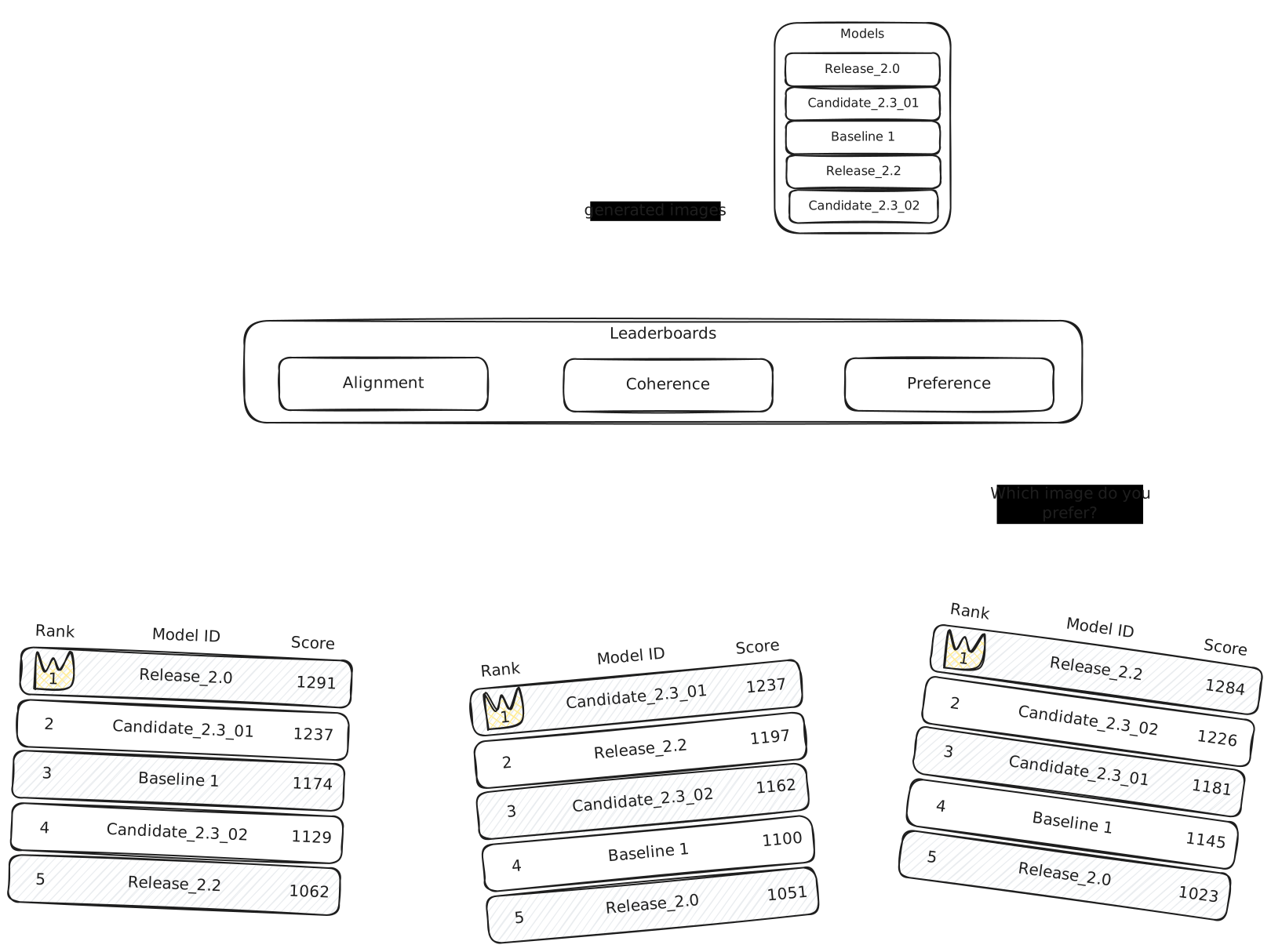
Model Ranking Insights (MRI) provides a powerful way to compare and rank different AI models based on their performance on specific tasks. They allow you to create standardized evaluation environments where multiple models can be tested against each other and ranked based on human feedback.
Note
Can be used with Images, Videos, Audio, and Text.
Each evaluation aspect results in a leaderboard and these leaderboards are grouped under a benchmark. This allows convenient extensibility because when you would like to evaluate the models under a new criteria, it is as easy as adding a new leaderboard to your benchmark.
How to use MRI#
1. Benchmark Creation#
You start by creating a benchmark with specific settings:
- Name: Identifies your benchmark in the overview
- Prompts: A list of prompts that will be used to generate the media to evaluate the models.
Use the RapidataClient to authenticate yourself and create a new leaderboard:
from rapidata import RapidataClient

client = RapidataClient()

benchmark = client.mri.create_new_benchmark(
    name="AI Art Competition",
    prompts=[ # (1)!
        "A serene mountain landscape at sunset",
        "A futuristic city with flying cars",
        "A portrait of a wise old wizard"
    ]
)
- The prompts used to generate the media that will be evaluated. Models are matched against each other per prompt.
2. Leaderboard Creation#
Once your benchmark is set up, you can create leaderboards for it.
- Name: Identifies your leaderboard in the overview
- Instruction: The criteria upon which labelers choose the better model
- Show Prompt: Whether to display the prompt to evaluators. Including this option adds complexity and cost, so it is advised to only include it in settings where the prompt is necessary for the labelers to follow the instruction (e.g., prompt alignment).
Note
You can find all leaderboards for a benchmark by using the leaderboards attribute of the benchmark.
leaderboard = benchmark.create_leaderboard(
    name="Realism",
    instruction="Which image is more realistic?",
    show_prompt=False # (1)!
)
- Whether to display the prompt to evaluators. Only include it when the prompt is necessary for the task (e.g., prompt alignment). It adds complexity and cost.
3. Model Evaluation#
Once your benchmark and leaderboard are set up, you can evaluate models by the following:
- Media: Images, videos, or audio files generated by your model
- Prompts: Each media file must be paired with a prompt
All prompts must be from the benchmark's registered prompt set (available through the prompts attribute of the benchmark)
Note
You are not limited to one media per prompt; you can supply the same prompt multiple times.
benchmark.evaluate_model(
    name="MyAIModel_v2.1",
    media=[ # (1)!
        "https://assets.rapidata.ai/mountain_sunset1.png",
        "https://assets.rapidata.ai/mountain_sunset2.png",
        "https://assets.rapidata.ai/futuristic_city.png",
        "https://assets.rapidata.ai/wizard_portrait.png"
    ],
    prompts=[ # (2)!
        "A serene mountain landscape at sunset",
        "A serene mountain landscape at sunset",
        "A futuristic city with flying cars",
        "A portrait of a wise old wizard"
    ]
)
- Images, videos, or audio files generated by your model.
- Each media file must be paired with a prompt from the benchmark's registered prompt set. You can supply the same prompt multiple times.
3b. Adding Models Without Immediate Submission#
If you want to add a model and control when it is submitted for evaluation, use add_model instead of evaluate_model. This lets you upload media, inspect the participant, and submit on your own schedule.
# Add a model without submitting
participant = benchmark.add_model(
    name="MyAIModel_v2.1",
    media=[
        "https://assets.rapidata.ai/mountain_sunset1.png",
        "https://assets.rapidata.ai/futuristic_city.png",
        "https://assets.rapidata.ai/wizard_portrait.png"
    ],
    prompts=[
        "A serene mountain landscape at sunset",
        "A futuristic city with flying cars",
        "A portrait of a wise old wizard"
    ]
)

# Upload additional media to the same participant
participant.upload_media(
    assets=["https://assets.rapidata.ai/mountain_sunset2.png"],
    identifiers=["A serene mountain landscape at sunset"]
)

# Submit the individual participant
participant.run()

# Or submit all unsubmitted participants at once
benchmark.run()
You can also inspect existing participants:
4. Matchmaking and Ranking#
MRI creates fair comparisons by:
- Prompt-based matching: Only media with the same prompt are compared against each other
- Mixed evaluation: New models are matched up with existing models to maximize the information gained
- User-driven assessment: Human evaluators compare model outputs based on the instruction to determine rankings
5. Results and Visibility#
Your leaderboard results are:
- Directly viewable on the Rapidata dashboard at app.rapidata.ai/mri/benchmarks
- Continuously updated as new models are added and evaluated
- Provides deeper insights into model performances over time
Retrieving Existing Benchmarks#
You can retrieve benchmarks by ID or search for them:
# Get a specific benchmark by ID
benchmark = client.mri.get_benchmark_by_id("benchmark_id_here")

# Find benchmarks by name
recent_benchmarks = client.mri.find_benchmarks(
    name="AI Art",
    amount=10
)